 Documents
 Documents
SmoothDocs is used to create documents from existing templates. A template must be used to create a document.
1. Add at least one section from the template to the document. Sections contain the text that will make up the body of your document.
2. Fill in any fields which will be used in the document. Fields are used to customize each document.
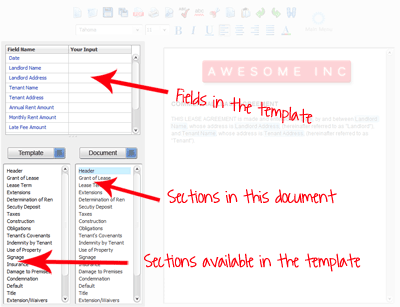
Example of a document as it appears in the SmoothDocs Document Builder:
Related Help: