 Creating a New
Field
Creating a New
Field
Creating a New
Field
Creating fields is a critical step in the template creation process. To create a new field:
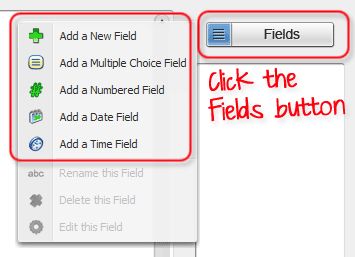
1. Click on the "Fields" button above the field list. Choose "Add a New Field" from the menu. Additional field types are available, but not covered in this tutorial.
Pictured: Example of the Field List and the add Field icon
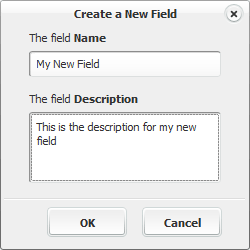
2. Select a name and description for your field. The field description is optional but recommended for complicated documents. The field description helps anyone attempting to use your template to understand exactly what information goes in a field.
Pictured: The new Field dialog box
3. Press OK. The new field will appear in the field list.
Related Help: