 Fill in
Fields
Fill in
Fields Fill in
Fields
Using the Document Builder to fill in Fields
1. Start a new document or open an existing document
2. Field input takes place in the upper left portion of the window
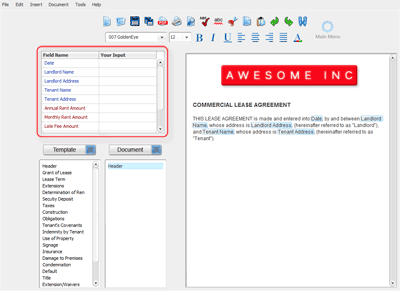
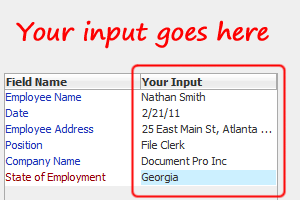
3. User input is presented on the right column. Click in a cell next to the corresponding field name and enter text.
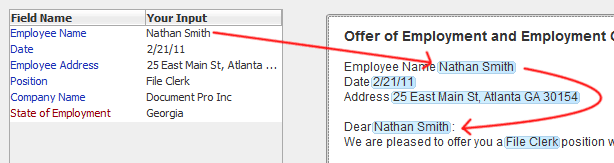
4. The text entered is updated in the active document wherever the corresponding field is used
Related Help: