 Opening an existing
document from the Welcome Screen
Opening an existing
document from the Welcome ScreenOpening an existing
document from the Welcome Screen
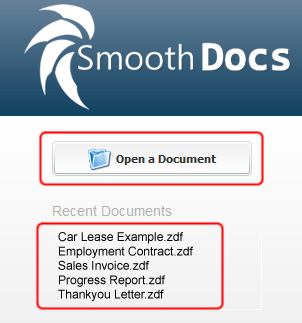
The Welcome Screen provides a list of recent documents opened and created using SmoothDocs.
To browse for a specific document file, simply click the "Open a Document" button.
To open one of the recently used documents, just click on the name of the specific document you want to open.