 Adding Template
Fields
Adding Template
Fields Adding Template
Fields
A field is a critical element of any template. Fields are added to the text of a template to help customize documents created with that template. Adding a field to a template is a simple and straightforward process.
Method 1: Drag a field into your template
1. Choose a Field from the Field List
2. Left-click on the Field and hold down the mouse button
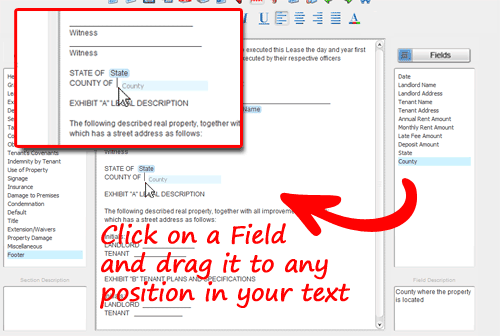
3. Drag the cursor to a position in your text
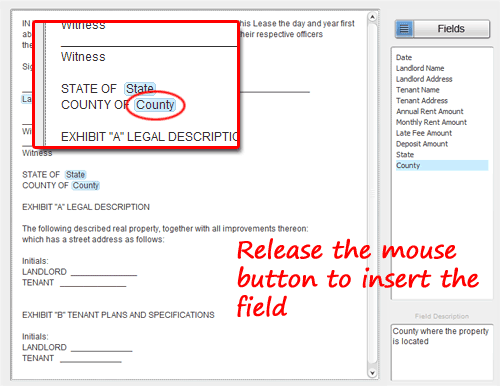
4. Release the mouse button to 'drop' the field into your text
Method 2: Create a field by typing
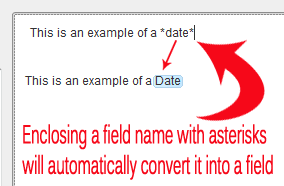
Fields can also be added to a template by typing the field name enclosed with asterisks (*).
For example to insert a field titled 'Date', simply type *date* in the template text. SmoothDocs will automatically convert the the text to a field.
Related Help: