 Entering Fields with the
New Document Wizard
Entering Fields with the
New Document Wizard
Entering Fields with the
New Document Wizard
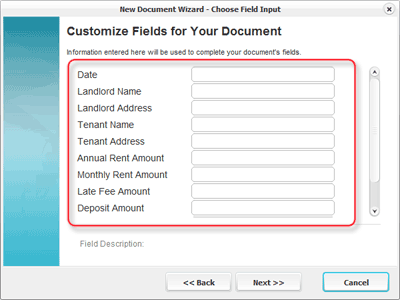
The Field page in the New Document Wizard shows a list of fields included in your document. The field list is customized based on the section (s) selected for your document. Unused fields are not displayed.
To the right of each field name is a box for entering text. This text will replace the field in your document . For example, entering "Jimbo Jones" in the "Landlord Name" field will replace each instance of the Landlord Name field with "Jimbo Jones".
When the fields have been updated, click the "Next >>" button to continue.
Note: Empty fields will be replaced with the field name in your document.
Related Help: