 Fields
Fields
A field is a word or phrase in a template that the user customizes for each document . For example, a template may include a field titled "Favorite Color". If you create a document and provide "blue" as the the field input, all instances of the field "Favorite Color" will be replaced with the word "blue ".
Fields in a Template
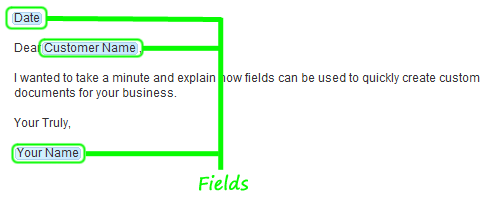
The following is an example of how fields are presented in a template. This example includes three fields named 'Date', 'Customer Name' and 'Your Name '.
Fields in a Document
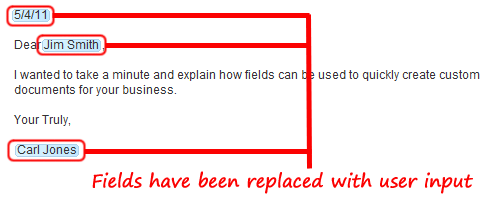
This example illustrates how fields are used when creating a document. Below, the user has provided input for the three fields. The ' Date ' field has been set to " 5/4/11 ". The ' Customer Name ' field has been set to " Jim Smith ". Finally, the ' Your Name ' field has been set to "Carl Jones ".
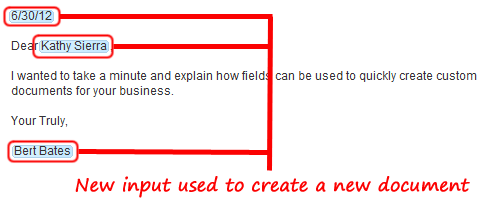
The same template can be reused to create new documents. Simply change the field input to create a new document. Below, the user has set the ' Date ' field has been set to " 6/30/12 ". The ' Customer Name ' field has been set to " Kathy Sierra ". Finally, the ' Your Name ' field has been set to "Bert Bates ".
Related Help: